Create a menu
A menu is where your dishes live. Create one, then start adding items to it. It takes just a few fields. Watch the video, then follow along below.
Step 1 — Add a menu
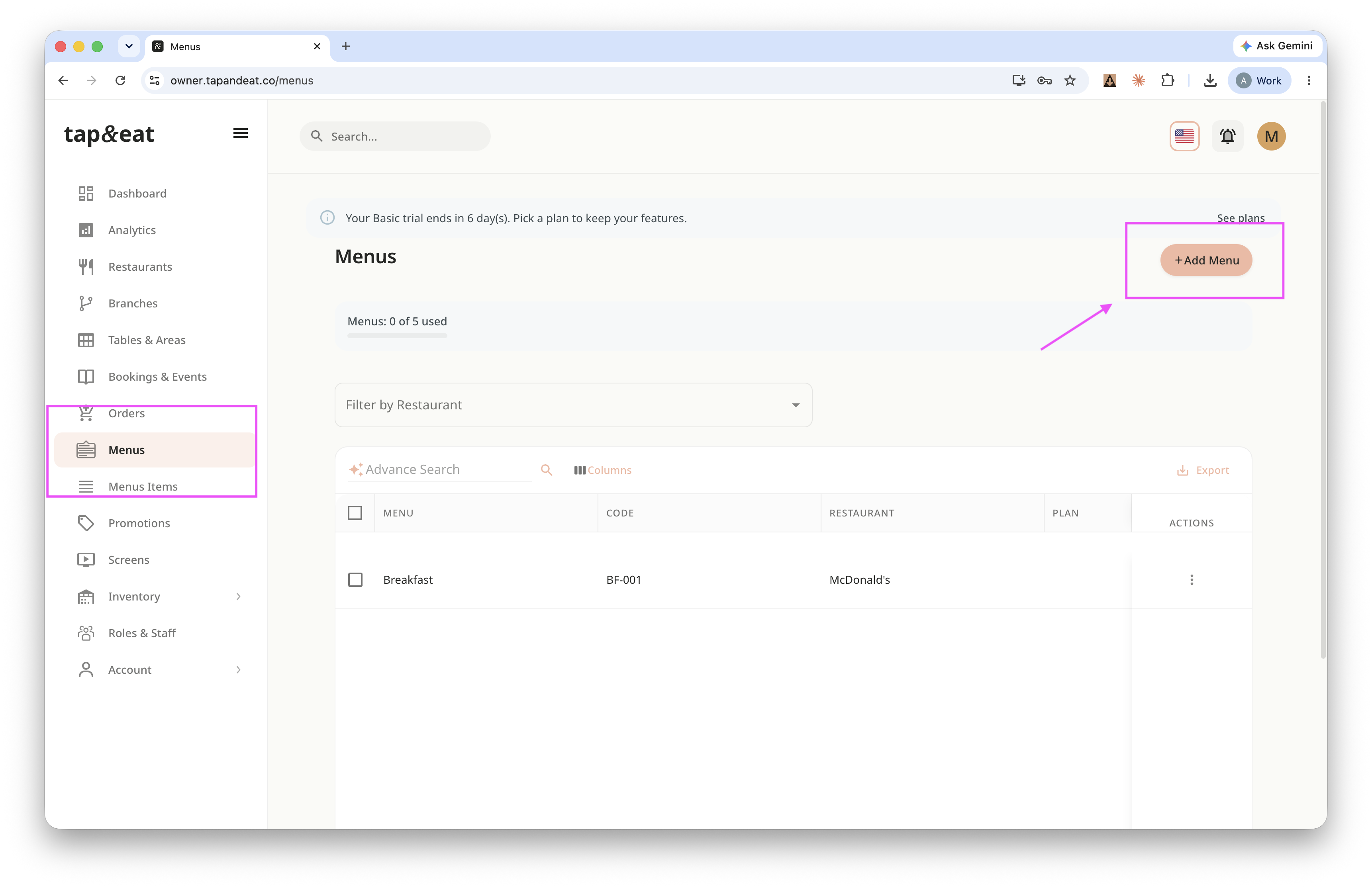
Open Menus from the sidebar and click Add Menu.
Step 2 — Menu details
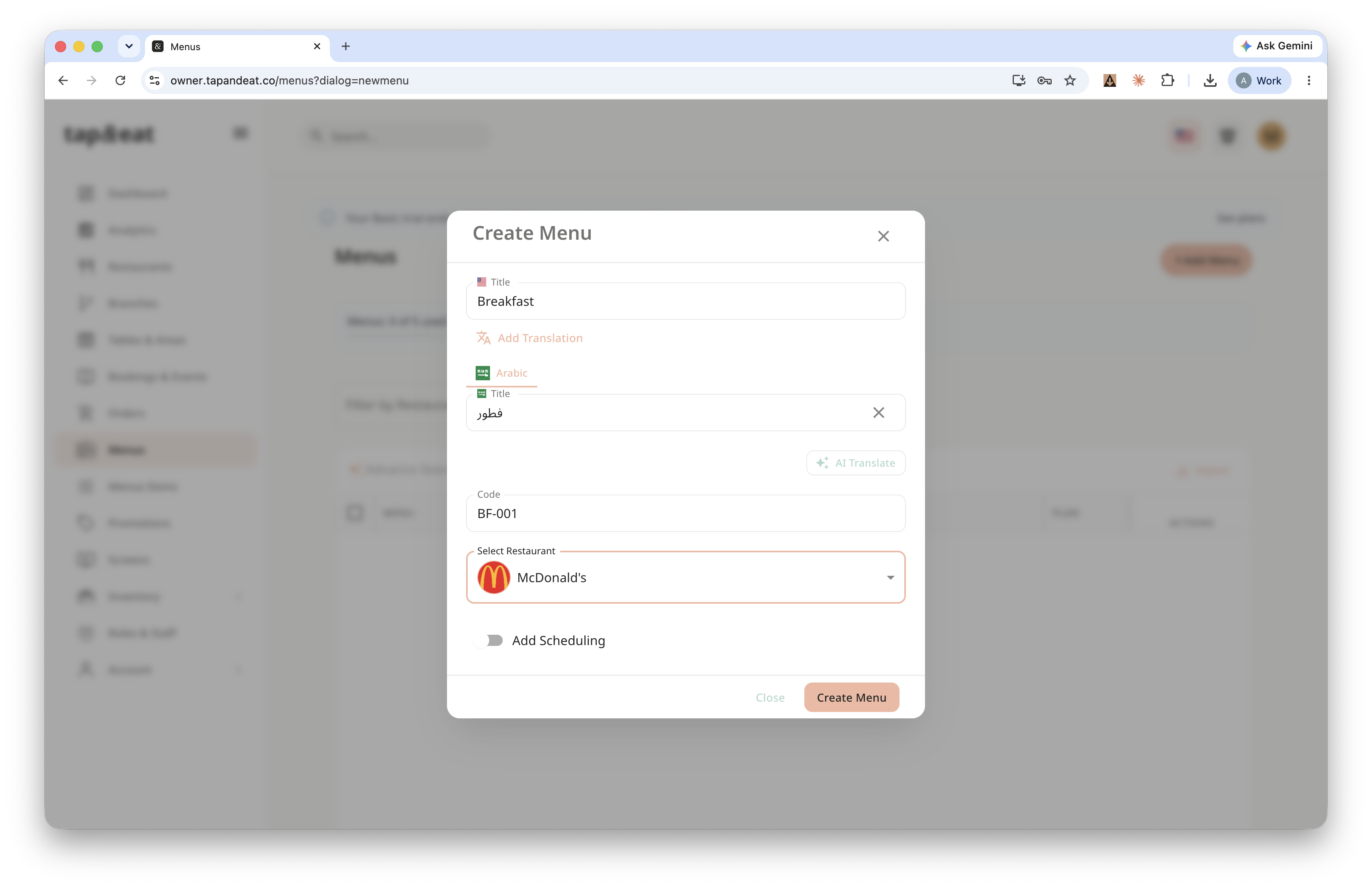
Enter a title for the menu (for example, "Lunch Menu"), add a short code, and choose the restaurant it belongs to.
Step 3 — Scheduling (optional)
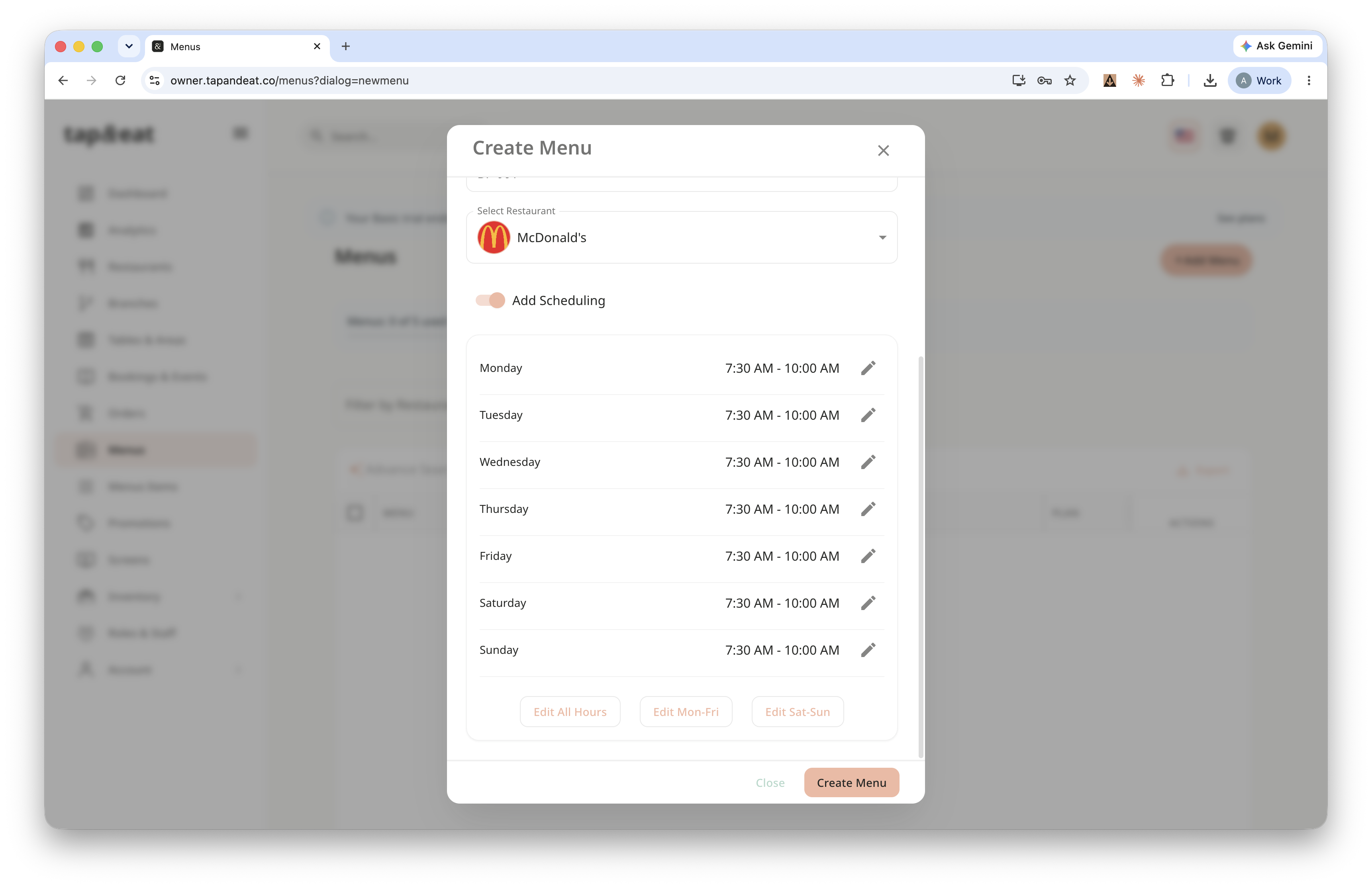
If you want the menu to show only at certain times, turn on Add Scheduling and set the active hours. Otherwise, leave it off.
Step 4 — Save
Click Save. Your new menu appears in the list, ready for you to add items.
Note: You can edit the same way as well.