Configure your restaurant & branches
Configuration controls how orders, payments, delivery, and bookings work for your restaurant. You can set these at the restaurant level, and override them per branch. Watch the video, then follow along below.
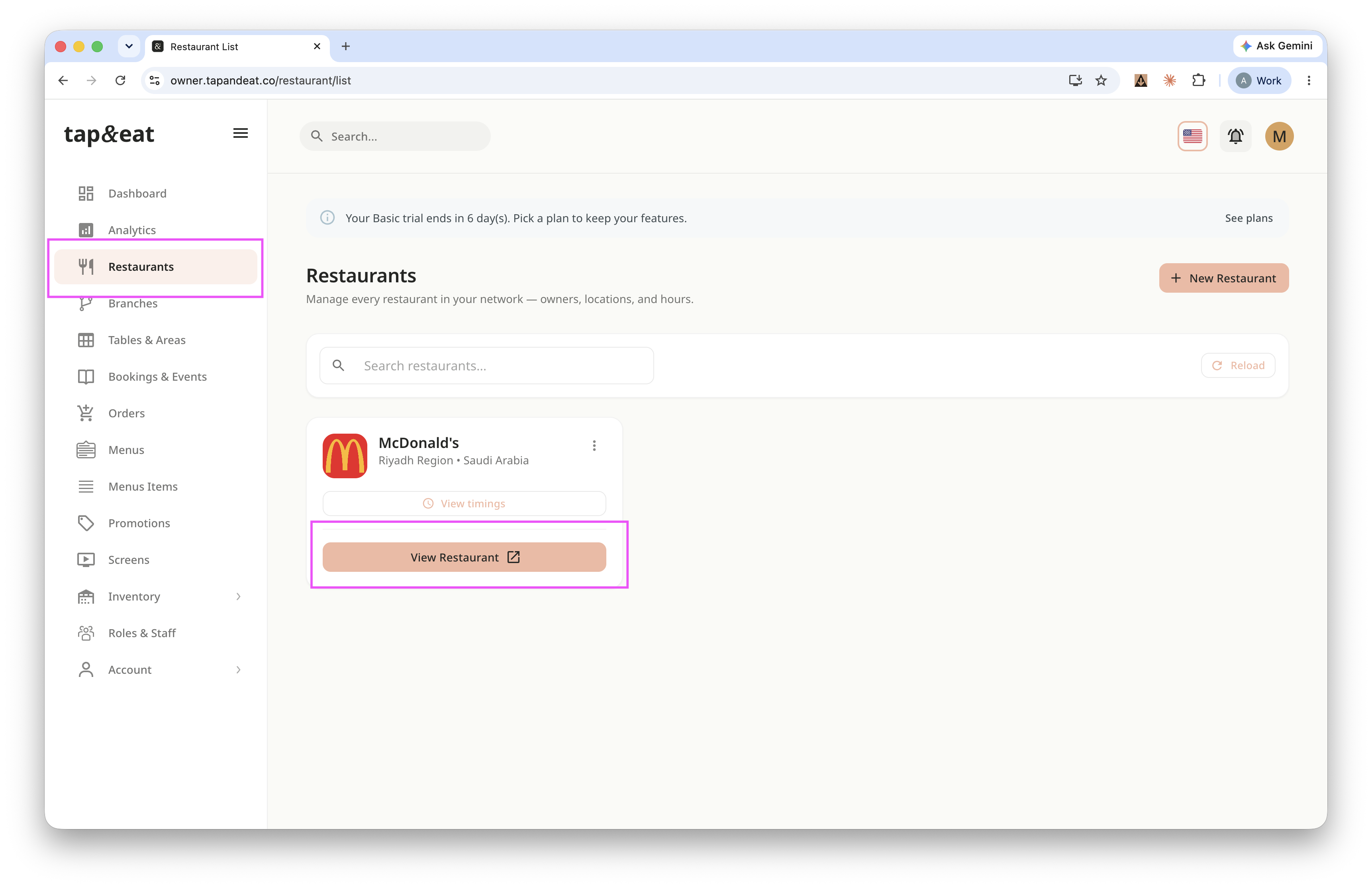
Step 1 — Open Restaurant tab
Go to the restaurant tab from side bar click view Detail.
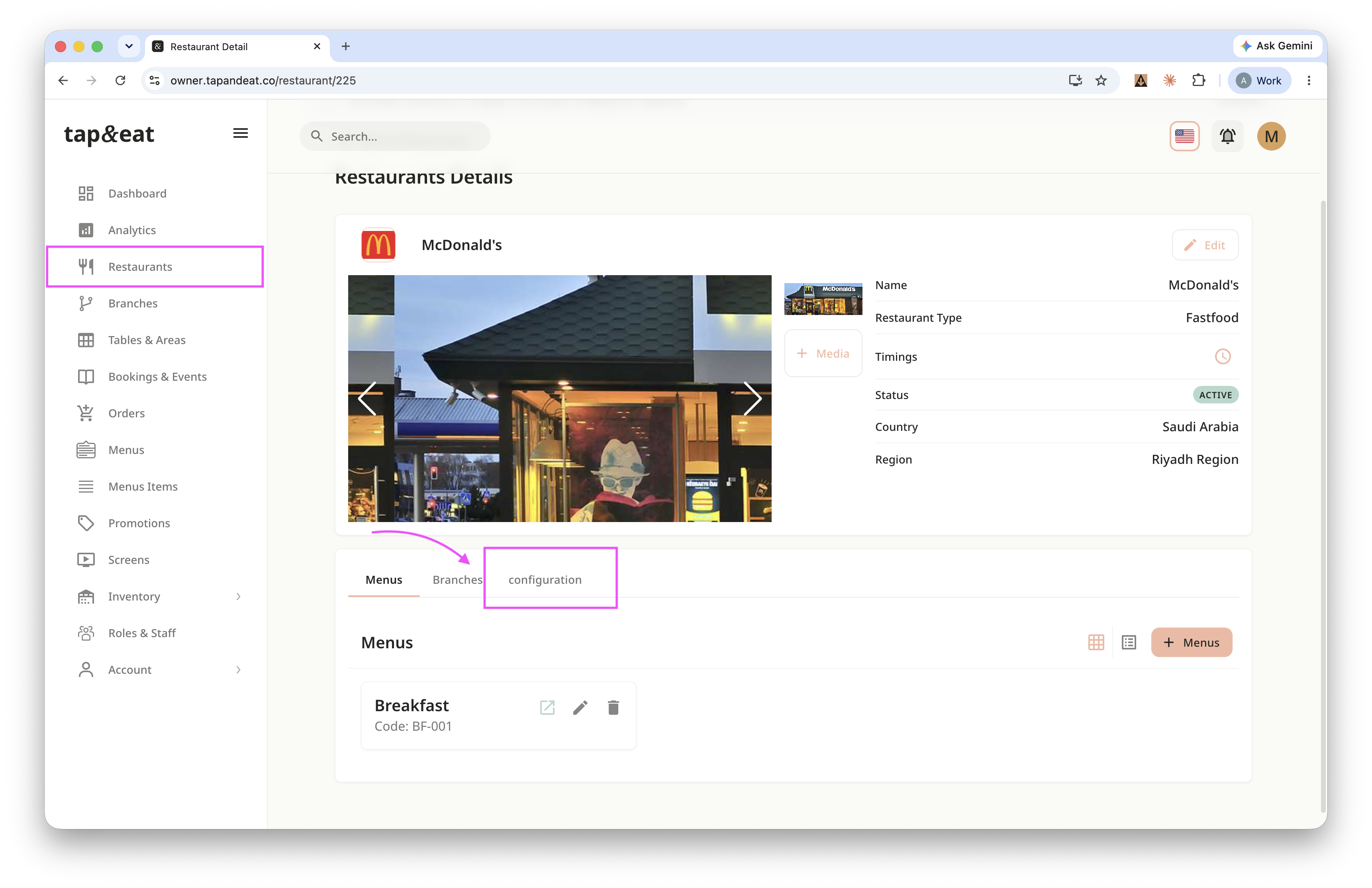
Step 2 - Open Configuration
Open your restaurant's details and click the Configuration tab.
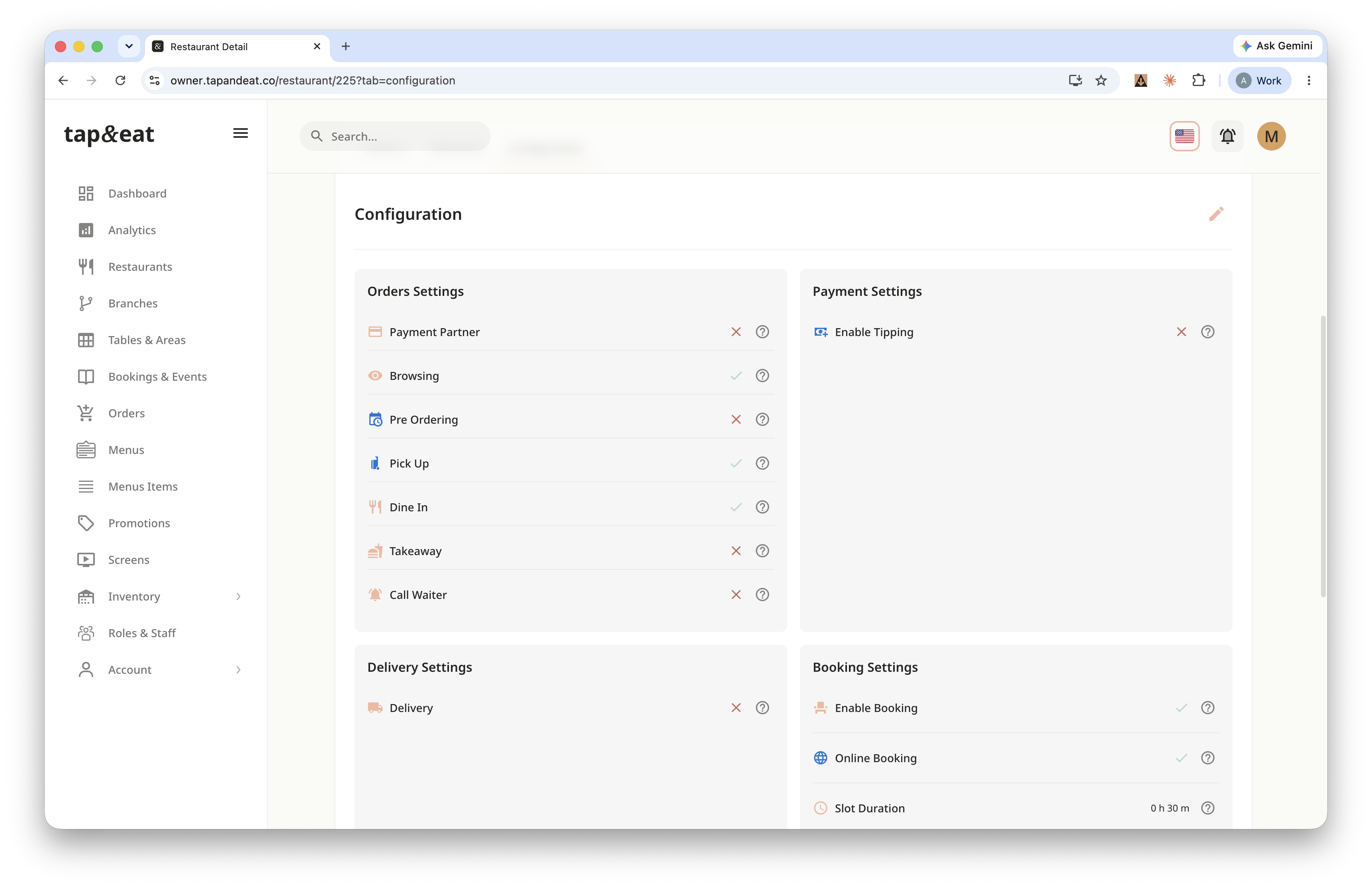
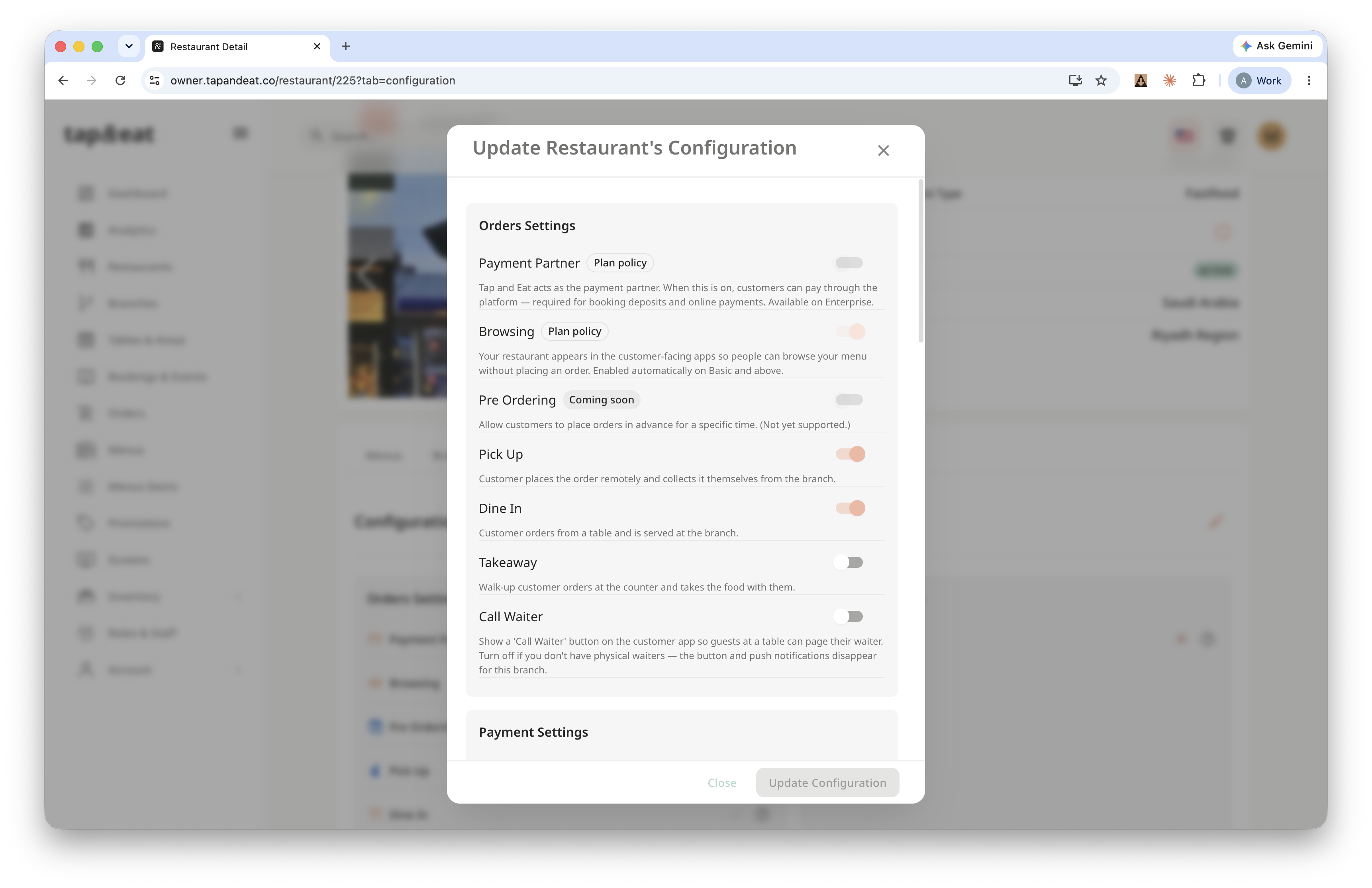
Step 2 — Orders settings
Choose your order options, such as enabling tipping. Some options depend on your plan.
Step 3 — Payment settings
Turn on online payment so customers can pay through the app. This requires an active Payment Partner.
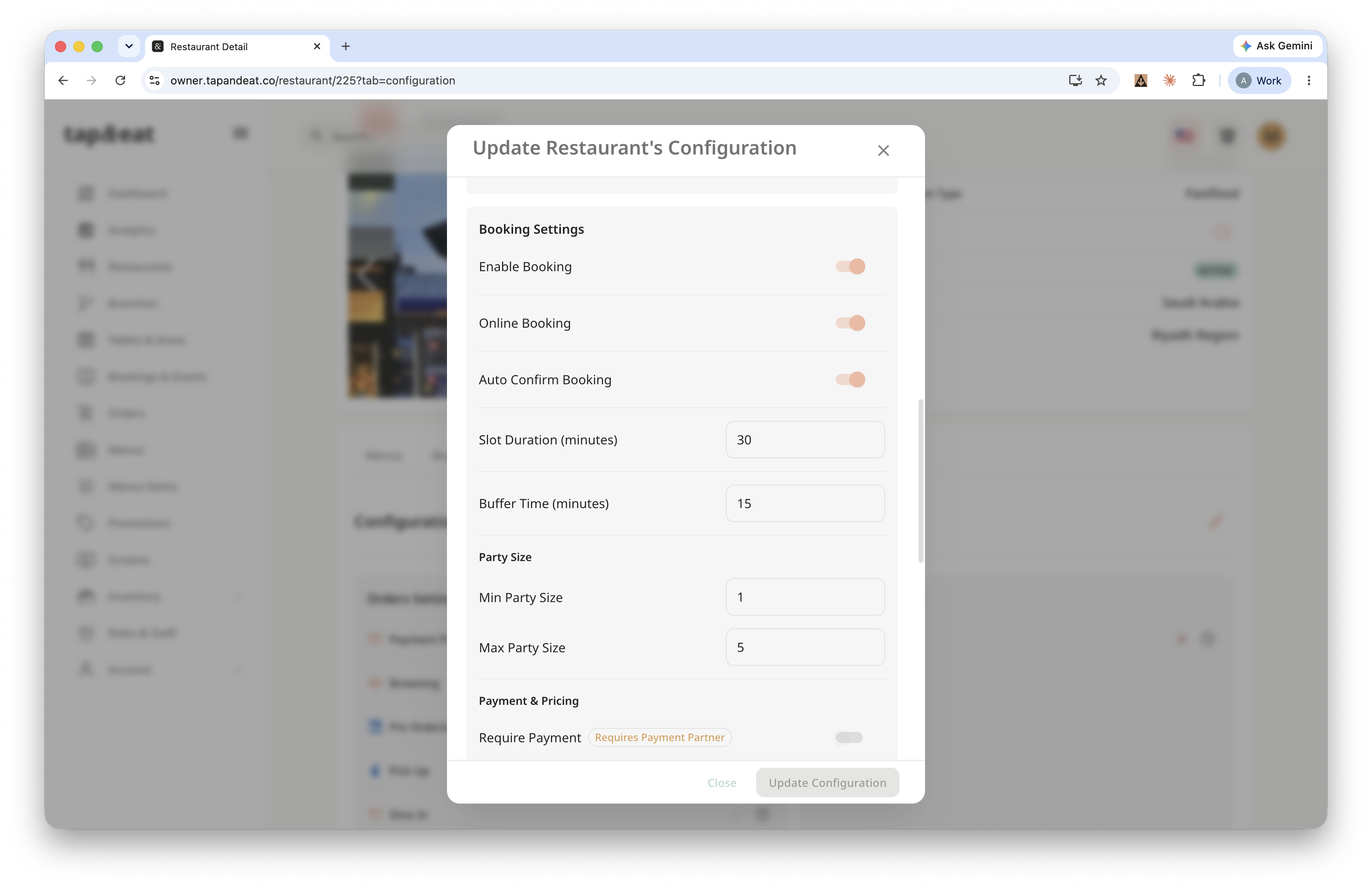
Step 4 — Booking settings
Enable table booking and set the rules — auto-confirm, party size, buffer time between bookings, and pre-ordering. When you're done, click Update Configuration.
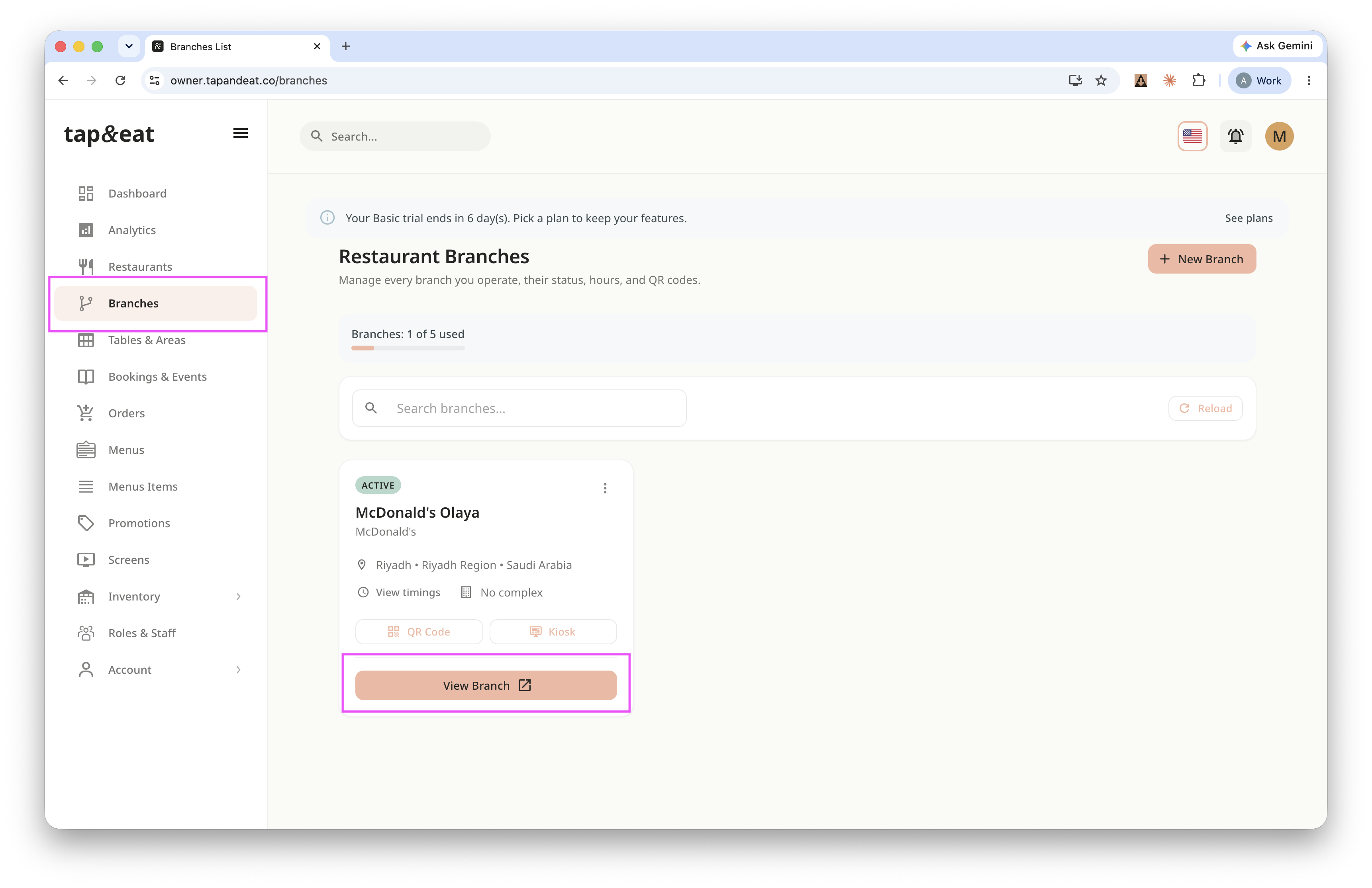
Step 5 — Per-branch settings (optional)
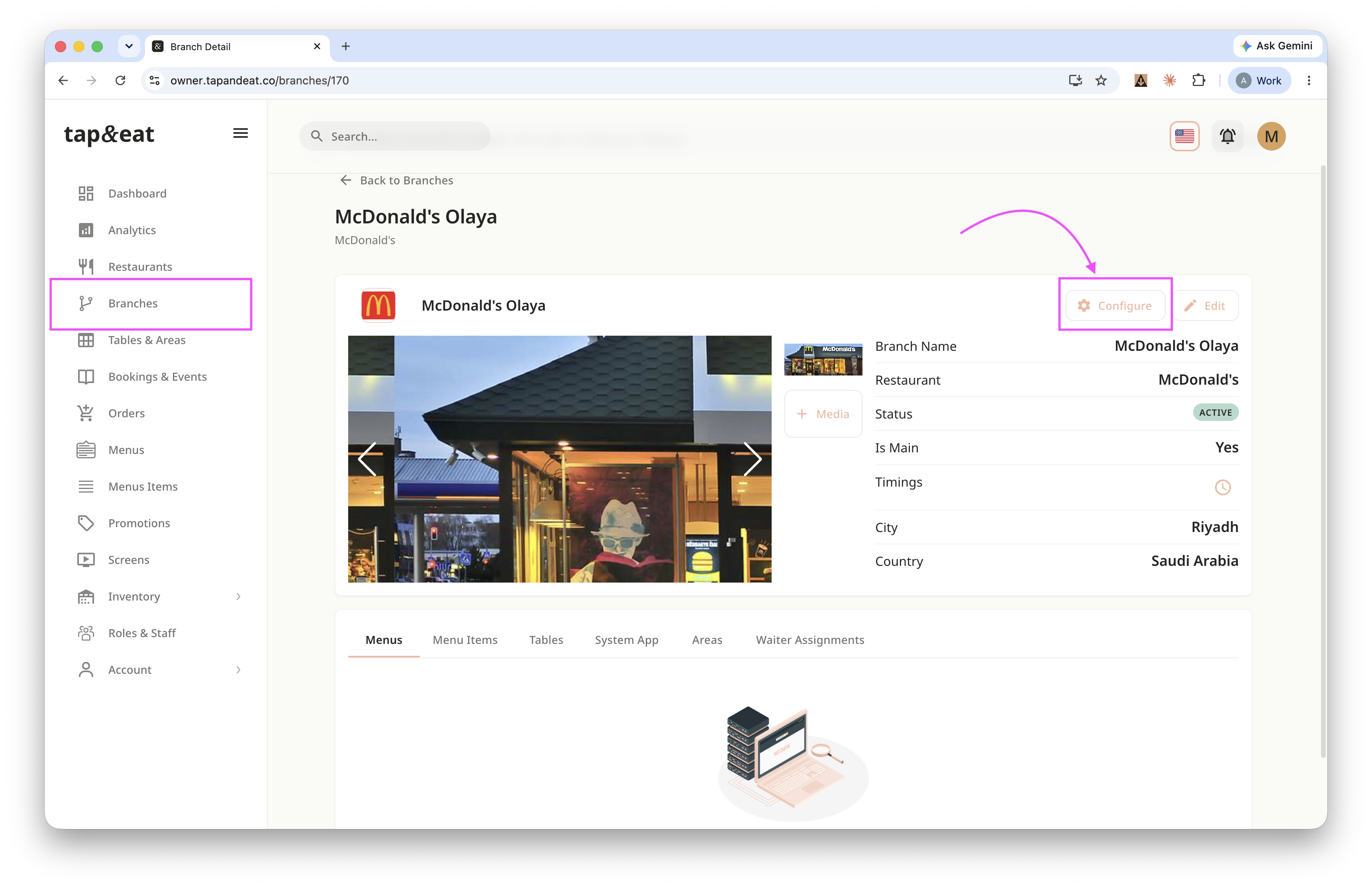
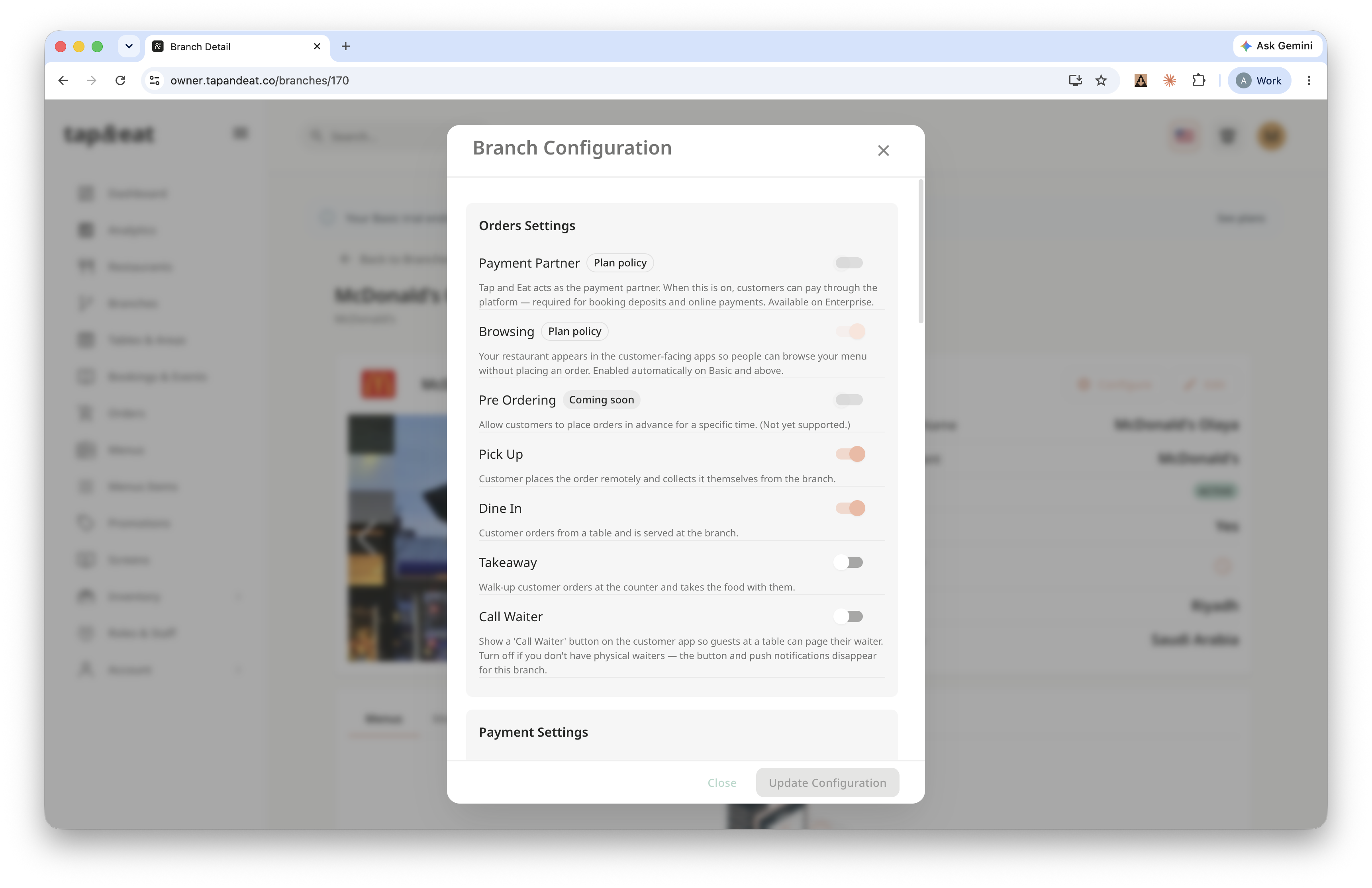
Open a branch to fine-tune the same settings just for that branch, overriding the restaurant defaults.
Your restaurant is now configured the way you want.